
This casino troubleshooting guide helps Australian RocketPlay users move from a symptom to its likely cause and the right action. It covers access, games, login, live tables, payments and bonuses on desktop and mobile. RocketPlay is an offshore operator and is not licensed in Australia. Use the sections below to find your issue quickly without attempting to bypass access restrictions.
Start here: a quick diagnostic
Start with the symptom and change one thing at a time. A casino site not working needs different checks from casino login problems or a missing payment.
| Symptom | Likely cause | First action |
|---|---|---|
| Site does not open | Connection, cache, restriction or outage | Test another site, then reload |
| Game does not load | Cache, browser or provider issue | Restart the browser |
| Login fails | Credentials or account restriction | Enter details manually |
| Deposit missing | Processing delay | Check payment status |
| Live table freezes | Connection drop | Check round history |
Do not repeatedly deposit, refresh a live round or change several settings at once. It makes the original fault harder to identify.
The site does not open at all
With a casino site not working, you may see a blank page, timeout or connection error. First open another trusted website. If other pages also fail, check your internet connection.
If only RocketPlay fails, restart the browser and temporarily disable non-essential browser extensions such as content blockers. Corrupted cache can also prevent a page from loading correctly, the same cause behind many casino game not loading reports. Testing on another device using the same normal connection can show whether the fault is device-specific.
Access can also be restricted in Australia. If it is, do not try to bypass the restriction. Check the Official site page for domain and access information.
A game will not load or freezes
A casino game not loading while the rest of RocketPlay works usually points to the browser, connection or game provider. Close the game once, reopen it and check that your browser is current.
Next, try cache clearing and temporarily disable non-essential extensions. If the problem continues, check the connection. A weak Wi-Fi or mobile signal can prevent game resources from loading completely.
If other pokies work but one does not, the individual provider may be experiencing maintenance. Note the game name, provider, time and error message. This casino troubleshooting approach gives support useful evidence and avoids unnecessary changes.
If a game freezes after a wager, check the transaction or round record before trying another bet.
Login fails or the session drops
Casino login problems commonly involve incorrect credentials, an old password stored by the browser, an account restriction or an expired session. Type your login details manually instead of relying on autofill.
If they are correct but access still fails, use the standard recovery option on the Login page. Repeated password attempts can trigger security controls. Also check whether self-exclusion or another account restriction applies. These controls must not be bypassed.
Repeated session drops may result from stale cookies or an unstable connection. Clear relevant site data and sign in again. For unexpected account activity, use the Security guidance and contact support.
A live table disconnects mid round
A connection drop does not automatically mean that a wager was cancelled. The video stream and the provider’s betting system can lose connection independently.
Reconnect normally and check round history or transaction history. Look for the game, timestamp, wager and recorded result. That record is the core of casino troubleshooting for live tables. Do not repeat the bet simply because you missed the final part of the stream.
If the record is missing or appears inconsistent, save a screenshot and note the time. Send support the round ID where available. The recorded account and game data are more useful for an investigation than the interrupted video stream.
Deposit went through but the balance is empty
First determine whether the transaction is pending, completed, reversed or declined with your bank, card service or wallet. A banking notification alone does not always confirm that RocketPlay received settled funds.
For a completed payment that is missing from the balance, save the reference, amount in AUD, payment method and exact time. Do not make another deposit just to test the system.
The Payments hub explains available payment routes. If the transaction cannot be traced, contact support and retain the correspondence for the Complaints process. Good casino troubleshooting means establishing the payment status before trying to identify where the funds stopped.
A withdrawal is stuck in pending
A pending withdrawal is not automatically a failed payment. Processing can involve account checks, KYC, internal approval and the external payment provider. For casino troubleshooting purposes, use the current operator terms rather than assuming a fixed processing time.
Check whether verification has been requested, whether the withdrawal remains visible in your account and whether RocketPlay has emailed you. Confirm that your submitted payment details are correct.
RocketPlay’s terms also require each deposit to be wagered once before the related funds can be withdrawn. A payout requested straight after depositing can be held for that reason. Checked on 9 October 2026.
Avoid repeatedly cancelling and resubmitting the request. For current procedures, use the Withdrawals page. If the stated processing period has passed, save the withdrawal ID and support correspondence.
Bonus did not credit or disappeared
A bonus not credited may mean an activation requirement was missed. Check whether the promotion needed to be selected before depositing, whether a code was required and whether the deposit met the current conditions.
If a bonus appeared and then disappeared, check its expiry, wagering rules, eligible games and maximum-bet conditions. Do not assume that the cash balance has also been affected.
For casino troubleshooting, record the promotion name, deposit reference and activation time. Compare them with the Promo code and Bonus policy pages. If the account record conflicts with the published terms, contact support before depositing again.
Mobile specific faults
RocketPlay has no native iOS or Android app. Mobile play uses the browser through the responsive site, PWA or home-screen shortcut. A casino game not loading on mobile should therefore be treated primarily as a browser, device or connection issue.
Check data-saving settings, content blockers and whether the browser has enough available resources. Phones may suspend browser activity when memory is limited, causing a session to expire.
A casino site not working only on one phone can also indicate local browser data. Use the Android or iOS guide for platform-specific settings. The Download and Mobile version pages explain RocketPlay’s browser-based mobile setup.
Clearing cache and data safely
Cache clearing can fix outdated pages and a casino game not loading because of corrupted local files. Remove only the necessary browser data. There is normally no reason to delete stored passwords.
Afterwards, reopen the browser. If casino login problems appear after clearing data, enter your current credentials manually rather than relying on old autofill information.
When to contact support and what to send
Contact support when normal checks fail, money or a settled wager is involved, or account records do not match what happened on screen. A clear support checklist helps the team trace the issue faster.
| Send | Why it matters |
|---|---|
| Screenshot | Shows the exact error |
| Date and time | Helps locate system logs |
| Round or game ID | Identifies the wager |
| Transaction reference | Traces the payment |
| Amount in AUD | Identifies the transaction |
| Device and OS | Helps reproduce the fault |
| Browser and version | Reveals compatibility issues |
| Steps before the fault | Shows how it occurred |
Never send your password or full payment credentials. Use the Support page first and the Complaints process for unresolved disputes. If casino login problems prevent access to the account, include the error message but never your password.
The official site lists a 24/7 chat and a support email. Its terms say a complaint is acknowledged within 24 hours of submission, and ask players to report an amount credited by mistake by email within 24 hours.
A casino site not working can also reflect an access restriction rather than a technical failure. RocketPlay is offshore and not licensed in Australia. Players must be 18+. Gambling Help Online is available on 1800 858 858 and gamblinghelponline.org.au. BetStop is Australia’s national self-exclusion register for licensed interactive wagering providers.
Troubleshooting FAQ for Australian players
Why does the site not open on my network?
Check whether other websites work and whether browser data or extensions are interfering. If access is restricted by your network or an Australian regulatory block, do not attempt to bypass it.
What happens to my bet if the stream drops?
A lost stream does not necessarily cancel the wager. Reconnect normally and check the recorded round and transaction history before placing another bet.
My deposit is missing, what do I do first?
Check whether the transaction is pending, completed, declined or reversed. If completed, save the payment reference, amount and time before contacting support.
Why did my bonus disappear?
Check the promotion’s expiry, wagering requirements, eligible games and maximum-bet rules. Contact support if your account activity does not match the published terms.
How do I clear the cache on mobile?
Use your browser’s privacy or browsing-data settings to remove cached files or relevant website data. Avoid deleting saved passwords unless you specifically want to remove them.
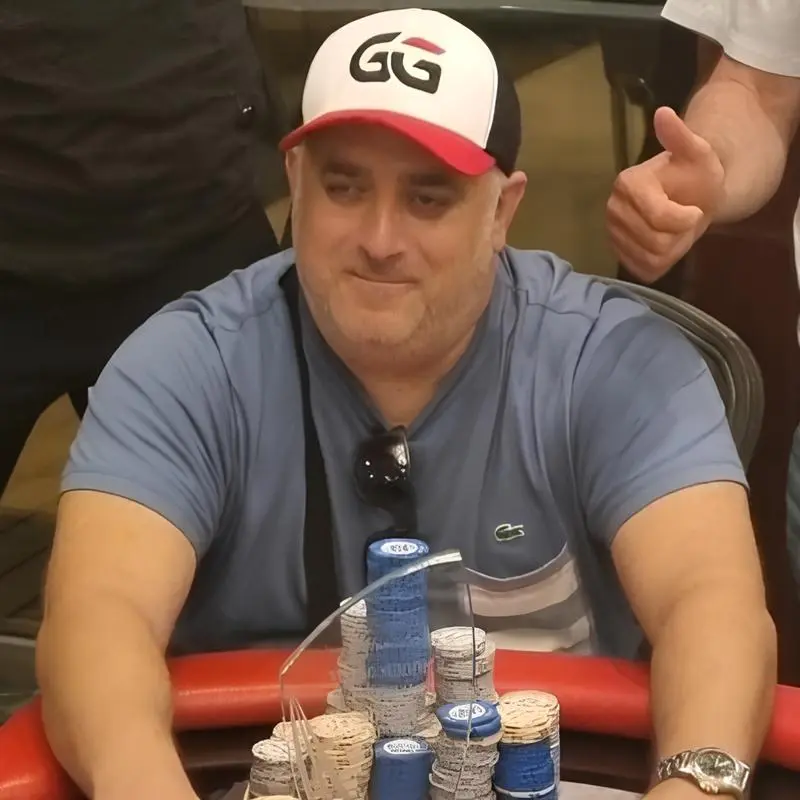
Mike Waters
Australian Casino Analyst and Gambling Writer
Mike Waters is an Australian casino analyst with extensive experience across poker, pokies, blackjack and online casino platforms. His background in competitive poker and wider gambling analysis gives him a practical perspective on casino games, bonuses, payment methods and the conditions players should understand before using a platform.
Mike focuses on clear, balanced information for Australian readers. When reviewing casinos or explaining bonuses, payments and gaming features, he looks beyond promotional claims and pays attention to wagering terms, withdrawal requirements, usability and other details that can affect the player experience.
in · LinkedIn profile