
Good casino account security protects more than an AUD balance. A gaming profile may contain personal details, payment history and KYC information, making phishing, password reuse and fake support real threats. This guide explains how to protect casino account access, spot suspicious activity and respond to a possible breach. RocketPlay is offshore and not licensed in Australia, so local protections differ from those available with Australian-licensed services.
What attackers actually want from a casino account
An account takeover can be valuable even when the balance is zero. A verified profile may contain your name, contact details, transaction history and information supplied during verification. Criminals may use these details for impersonation or wait until funds appear.
Access to the connected email can make the problem worse because password-reset messages may also be exposed.
Never let another person use your profile, including someone claiming they can solve a withdrawal issue or play on your behalf. RocketPlay’s terms also prohibit giving third parties access to an account and transferring, selling or gifting it.
Treat a casino profile as a sensitive financial account. For information about personal data, see the Privacy policy. KYC procedures are covered separately under Verification.
Building a password that holds
For effective casino account security, length and uniqueness matter more than making a short password complicated. Choose a strong password or long passphrase that does not contain your name, birthday, phone number or other easily discovered information.
Password reuse is a bigger risk. Credentials leaked from an unrelated website can be automatically tested against other services. Your RocketPlay password should therefore be different from those used for email, banking and social accounts.
A reputable password manager can create and store unique credentials without requiring you to remember every password.
Never save casino credentials on a shared device.
Adding one number to a reused password does little to prevent credential-stuffing attacks.
Login and password recovery instructions belong on the Login page.
Two factor authentication
Casino two factor authentication adds another check after the password. Depending on the service, this can involve SMS, a two factor app, security key or another verification method. Authenticator-based methods generally provide stronger protection against common interception and SIM-related risks than SMS.
Do not assume RocketPlay currently provides a particular 2FA option. Its published terms and privacy policy did not mention 2FA when checked on 8 October 2026. Check the security settings visible in your account or confirm availability through official support.
If 2FA is offered, activate it and keep recovery information private. Never send authentication codes to another person.
A one-time code is a temporary key to your account. A person asking you to read it back may be attempting an unauthorised login.
Recognising phishing attempts
A phishing email may copy casino branding almost perfectly. Check the destination rather than trusting its appearance. Inspect the full domain before entering credentials and reach the Official site independently instead of following unexpected links from emails, advertisements, social networks or chats.
One swapped character is enough. Read the whole domain before you type anything.
Warning signs include misspelled domains, urgent requests, unexpected attachments and instructions to “confirm” your password. Search advertisements are not evidence that a website is genuine.
| Sign | Why it matters | Safer response |
|---|---|---|
| Misspelled domain | May imitate the real site | Close it and open the Official site |
| Unexpected login link | May capture credentials | Navigate independently |
| Password or code request | Credentials should stay private | Do not provide them |
| Threat of immediate closure | Creates artificial pressure | Verify through official support |
| Unexpected attachment | May contain malicious content | Do not open it |
| Strange sender address | Display names can be copied | Check the full address |
HTTPS does not prove a website is legitimate. Fraudulent pages can also use encrypted connections.
Fake support and social engineering
Fake support relies on trust and urgency. Someone may contact you through Telegram, WhatsApp, email or social media claiming there is a problem with verification, a bonus or withdrawal.
Good casino account security means starting support conversations through channels reached from the verified website. Never disclose a password or authentication code in chat.
| Supposed support request | Normal? | What to do |
|---|---|---|
| “Send your password” | No | Stop the conversation |
| “Tell me your 2FA code” | No | Never provide it |
| “Send KYC files to my messenger” | No | Use the approved KYC channel |
| “Install remote-access software” | No | Refuse |
| “Open this urgent account link” | Suspicious | Visit the verified site yourself |
| Email or call to your registered details about KYC | Possible, verify | Reopen the conversation through the official site |
| Contact through the official site’s channel | Correct route | Start the conversation yourself |
RocketPlay’s terms allow the casino to email you or call the number on your account, for example during KYC. A genuine contact still does not need your password or a one-time code.
Pressure to act immediately is a common social-engineering technique.
Device and network hygiene
Even a strong password cannot fully protect an infected or publicly accessible device. Keep your browser and operating system updated, use a screen lock and avoid leaving an active casino session unattended.
Shared computers create additional risks through stored credentials and active sessions. Avoid saving passwords on them and use session logout when finished.
RocketPlay has no native iOS or Android app. Mobile access runs through a browser, including an adaptive version, PWA or home-screen shortcut. Treat unexpected APK downloads, App Store claims or Google Play download prompts as suspicious.
Avoid making sensitive account changes on unfamiliar devices or networks. Use a device and connection you trust instead.
Signs your account was accessed
Warning signs include unfamiliar login notifications, changed personal details, unexpected password-reset emails, new payment information or transactions you cannot explain. A missing balance should also be investigated promptly.
One warning sign does not automatically prove a casino account hacked incident. A session can expire or a payment may still be processing. The important issue is whether the activity matches something you actually did.
If you still have safe access, change the password first and inspect the profile for alterations. Then contact support through a verified channel.
If your email may also be compromised, secure it immediately because it can provide a route back into the casino account.
What to do after a suspected breach
A suspected account takeover requires quick action from a device you trust. Do not use links from the message or page that caused your concern.
- Change your RocketPlay password.Create a new, unique credential.
- End active sessions where possible.If the option is unavailable, ask official support whether sessions can be invalidated.
- Contact verified support.Explain what changed and when you first noticed it.
- Review payment activity.Check your bank, card or wallet for transactions you do not recognise and contact the relevant payment provider about suspicious activity.
- Secure your email.Change its password if necessary and activate MFA where available.
- Keep evidence.Save relevant dates, transaction references and screenshots without publishing sensitive information.
Do not wait. RocketPlay’s terms say a refund request can be considered within 30 calendar days where a player reports that another person accessed the account. Consideration is not a guarantee of a refund.
If support does not resolve the issue, follow the procedure described on the Complaints page.
Protecting the email tied to your account
Email is often the main recovery key for a gaming profile. If an attacker controls it, they may receive password-reset links, casino account security notifications and other account communications.
Use a separate password for your inbox and enable multi-factor authentication with the email provider. Review recovery addresses, phone numbers and connected devices, removing anything you do not recognise.
Strong email protection also means refusing MFA prompts you did not initiate and never forwarding verification codes or reset links.
Securing your inbox is a core part of casino account security, because changing the casino password alone may not stop an attacker who still controls its recovery channel.
Security and self control tools
Technical security prevents another person from controlling your profile. Limits, time-outs and self-exclusion address a different risk: unwanted activity initiated by the account holder. They can still form part of a broader casino account security setup.
Instructions on where these controls appear, when they take effect and what they restrict belong on Limits and self exclusion.
RocketPlay is an offshore casino and is not licensed in Australia. BetStop is Australia’s National Self-Exclusion Register for licensed Australian online and phone wagering providers, so its protection should not be assumed to cover an offshore casino.
Australian players aged 18+ can contact Gambling Help Online on 1800 858 858 or visit gamblinghelponline.org.au for confidential support.
Account security FAQ for Australian players
How do I change my password?
Check the password or security controls in your account settings. If you cannot sign in, use the recovery process described on the Login page or contact official support.
Does RocketPlay support two factor authentication?
Do not assume a specific 2FA option is currently available. RocketPlay’s published terms and privacy policy did not mention 2FA when checked on 8 October 2026. Check the live account settings or confirm availability through official RocketPlay support.
Will support ever ask for my password?
Never disclose your full password or one-time authentication code in a support conversation. If someone requests either, stop communicating and contact support independently.
What should I do if I clicked a phishing link?
Close the page. If you entered credentials, change the affected passwords from a trusted device, secure your email and contact official support promptly.
Can I log out of all devices at once?
Check whether your current account settings provide an option to close active sessions. If not, ask official support whether existing sessions can be invalidated.
Back to the casino account overview.
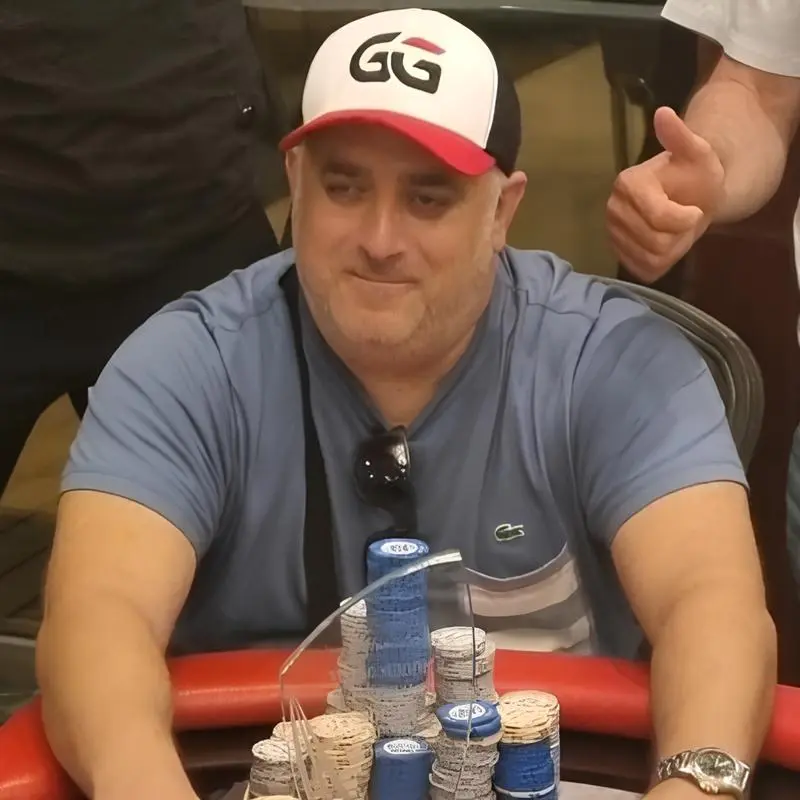
Mike Waters
Australian Casino Analyst and Gambling Writer
Mike Waters is an Australian casino analyst with extensive experience across poker, pokies, blackjack and online casino platforms. His background in competitive poker and wider gambling analysis gives him a practical perspective on casino games, bonuses, payment methods and the conditions players should understand before using a platform.
Mike focuses on clear, balanced information for Australian readers. When reviewing casinos or explaining bonuses, payments and gaming features, he looks beyond promotional claims and pays attention to wagering terms, withdrawal requirements, usability and other details that can affect the player experience.
in · LinkedIn profile